


Getting featured on the App Store means Apple’s editorial team selects your app to appear on prominent sections like the Today tab, category highlights, or special collections, giving it massive organic visibility and potentially, growth boost. Apple features apps to showcase high-quality design, innovative functionality, outstanding user experience, and something that makes them unique and attractive for a wide audience. This guide is for mobile app developers, ASO specialists, and marketers who want practical, proven strategies and tips to improve their chances of being featured and grow their app organically.
TL;DR: How to Get Featured on the App Store
To get featured on the App Store, focus on building a high-quality, stable app with Apple-level design, strong performance, and a clear unique value proposition. Follow Apple’s guidelines, use the latest platform features, optimize your App Store listing, localize for key markets, and submit a compelling editorial pitch.
Avoid common mistakes such as launching copycat apps, poor onboarding, aggressive monetization, and submitting too early. Track engagement, retention, and ratings to meet Apple’s quality benchmarks, and align major updates with seasonal or platform events.
Being featured can drive major visibility and growth, but it does not guarantee long-term success. Some apps see high traffic but low conversion or retention. The real value of featuring is both exposure and the data you gain to improve your product.
If you get featured, congrats, and keep improving. If not, stay consistent, iterate based on feedback, and use this guide as your roadmap to increase your chances over time.
What Does “Featured on the App Store” Mean?
Being featured on the App Store means your app is selected by Apple’s editorial team and promoted in high-visibility sections of the store, where millions of users can discover it. These placements are not paid ads (which you can also run via Apple Ads, but that’s a separate topic). They’re curated recommendations, carefully picked by Apple editors based on app quality, relevance, and user experience. Since these placements are thoughtfully curated, they frequently highlight the people, goals, and creative work behind the apps. You can submit your app for a chance to be featured through the “Nominations” option, available in the “Featuring” section of your app page in App Store Connect Being featured on the App Store can significantly increase downloads, brand credibility, and potentially influence growth.
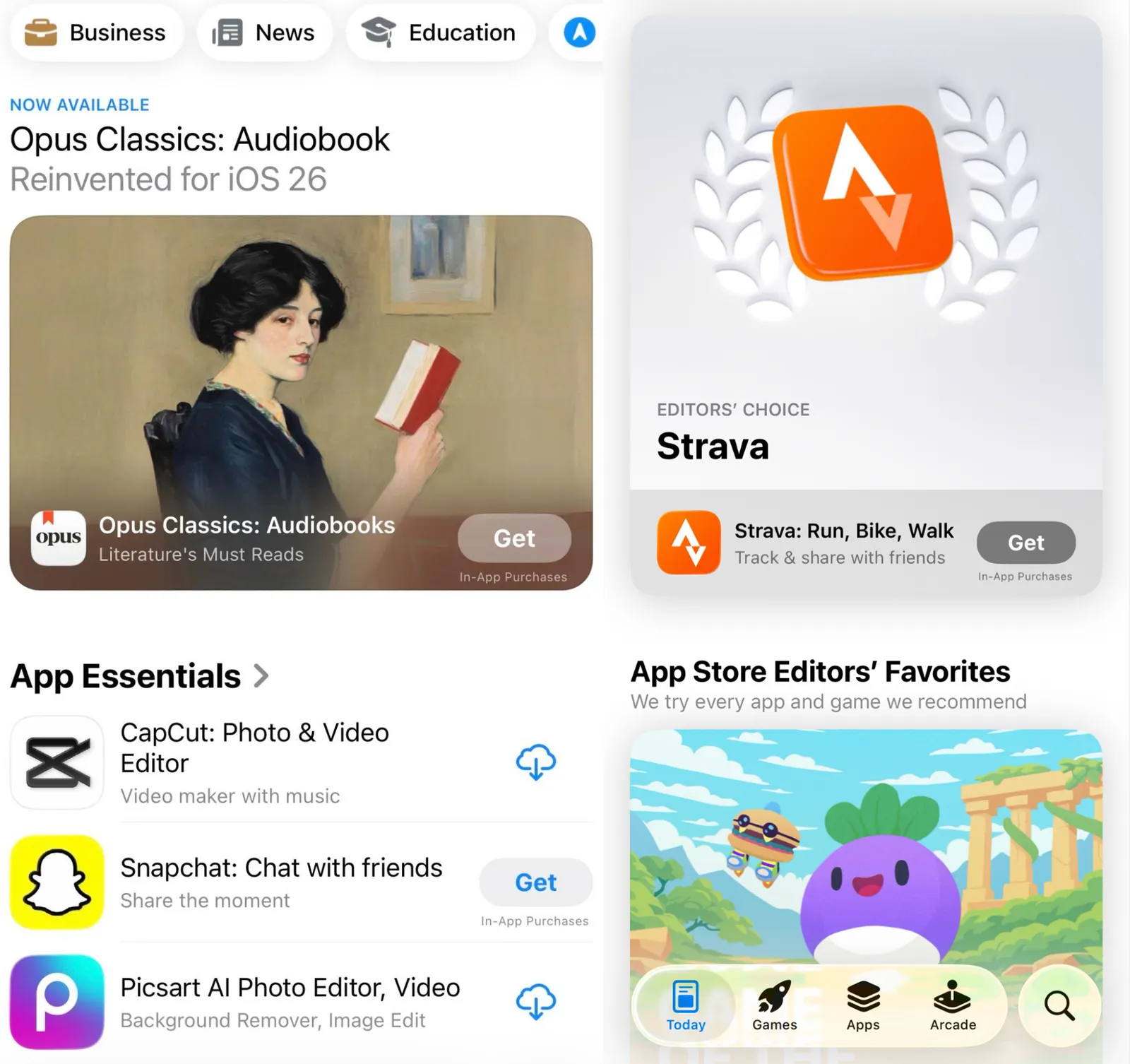
App Store featuring placements
Apple uses several prominent placements to highlight apps and games that deserve users’ attention:
1. Today Tab
The Today tab is the most visible section of the App Store, featuring daily stories, interviews, and curated app recommendations. Apps showcased here often receive the highest surge in traffic and downloads.
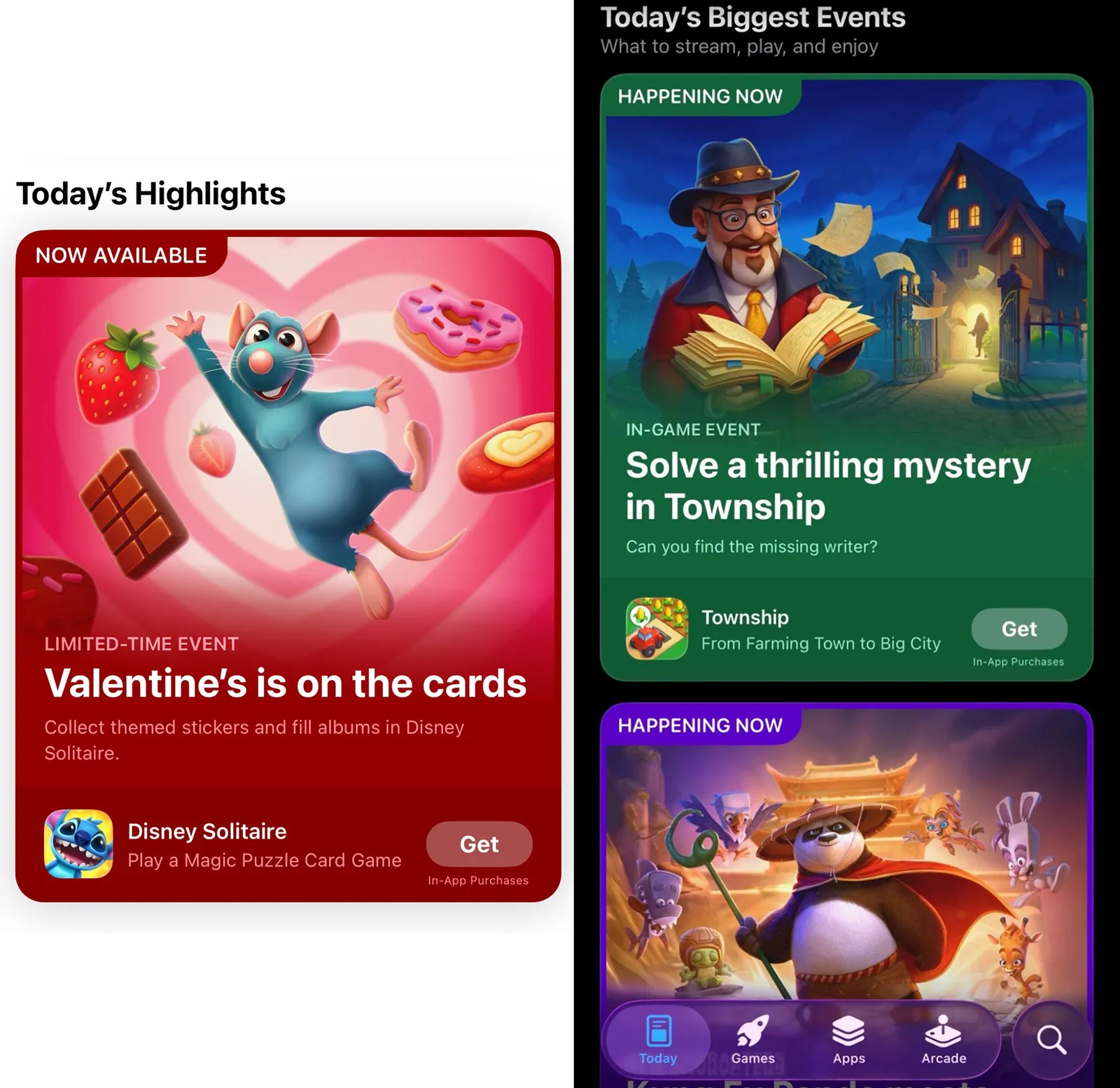
1.1. Highlights
Showcases the best and most relevant content currently happening on the App Store, including major launches and standout updates.
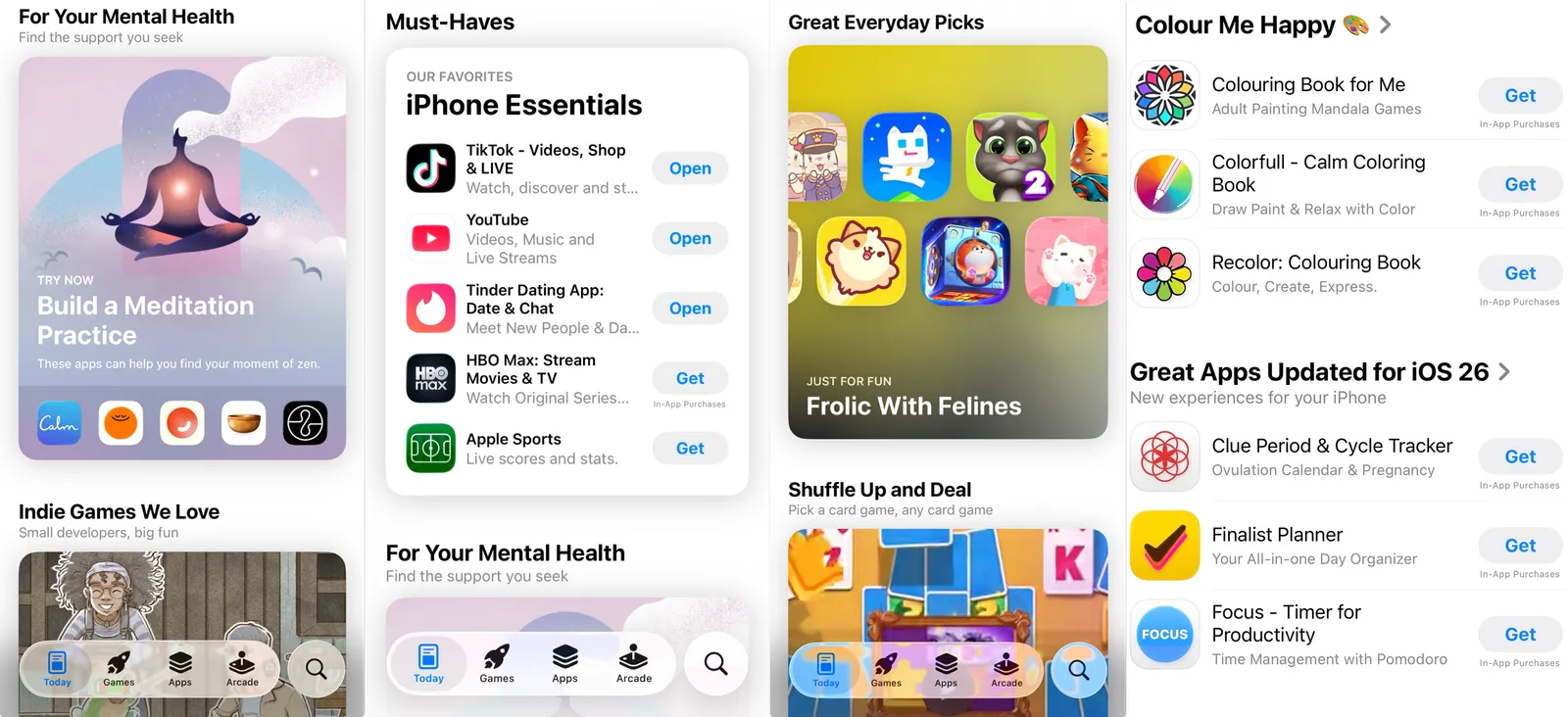
1.2. App theme collections
Curated lists of high-quality apps grouped around themes such as social, productivity, creativity, or lifestyle.
Apple regularly creates curated collections around themes such as productivity, fitness, education,seasonal events, or just their favorites. Apps that fit these themes and meet quality standards may be included.
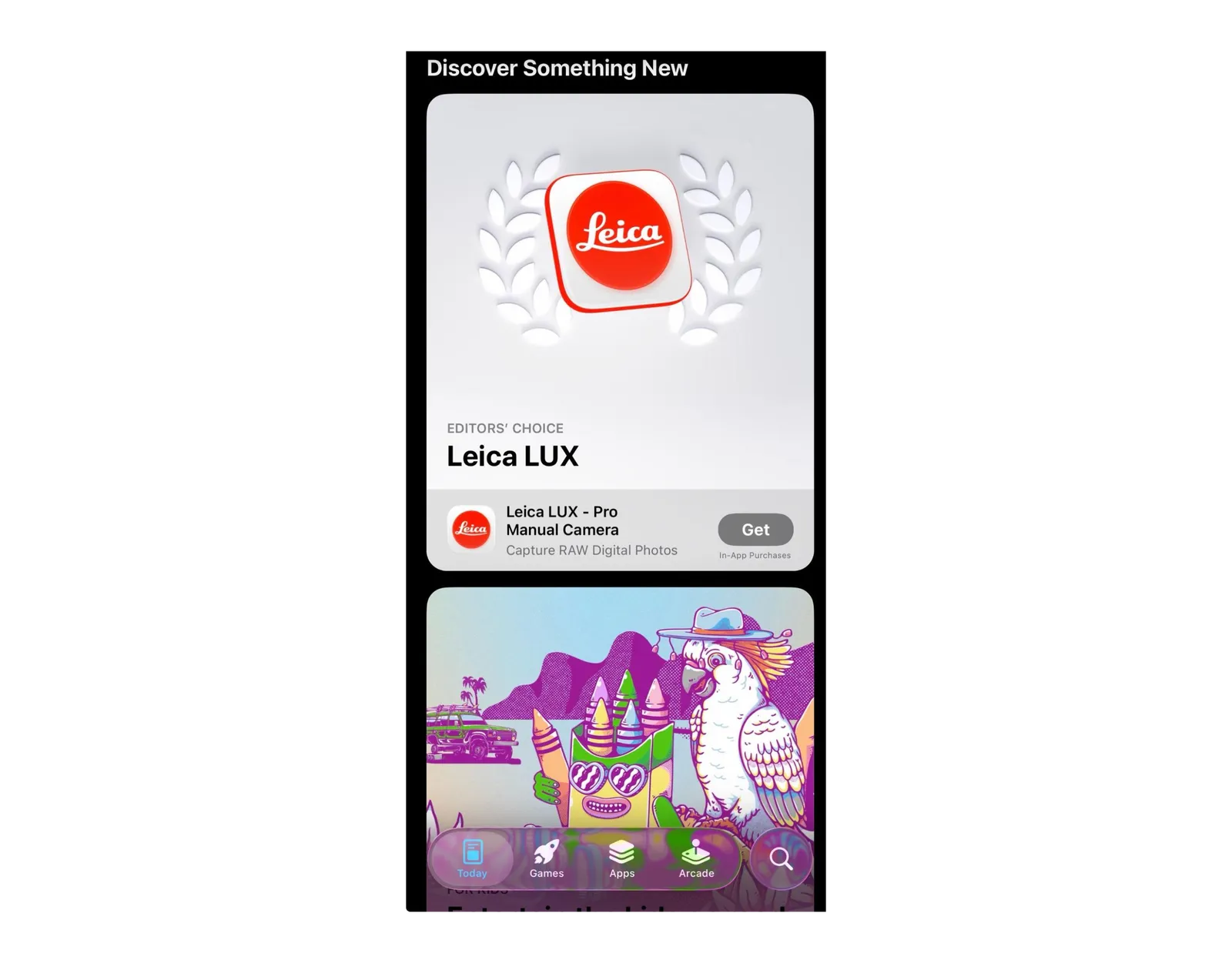
1.3. Editor's choices
Apps and games selected for exceptional design, innovation, and user experience.
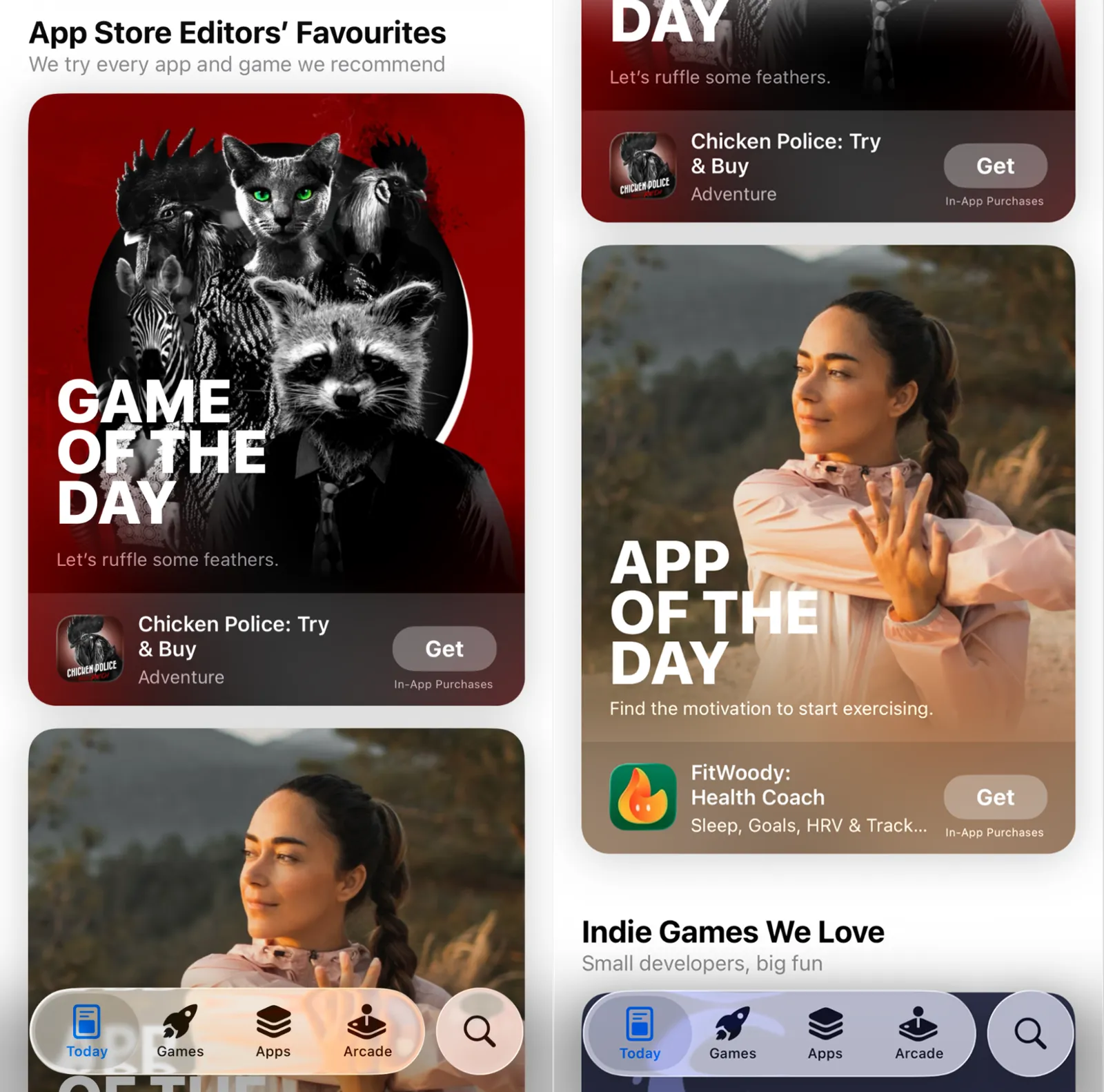
1.4. App / Game of the Day
Daily spotlight on one outstanding app or game, often generating the highest visibility spike.
These features highlight one outstanding app or game each day. Selection is based on design, functionality, social value, and overall user experience.
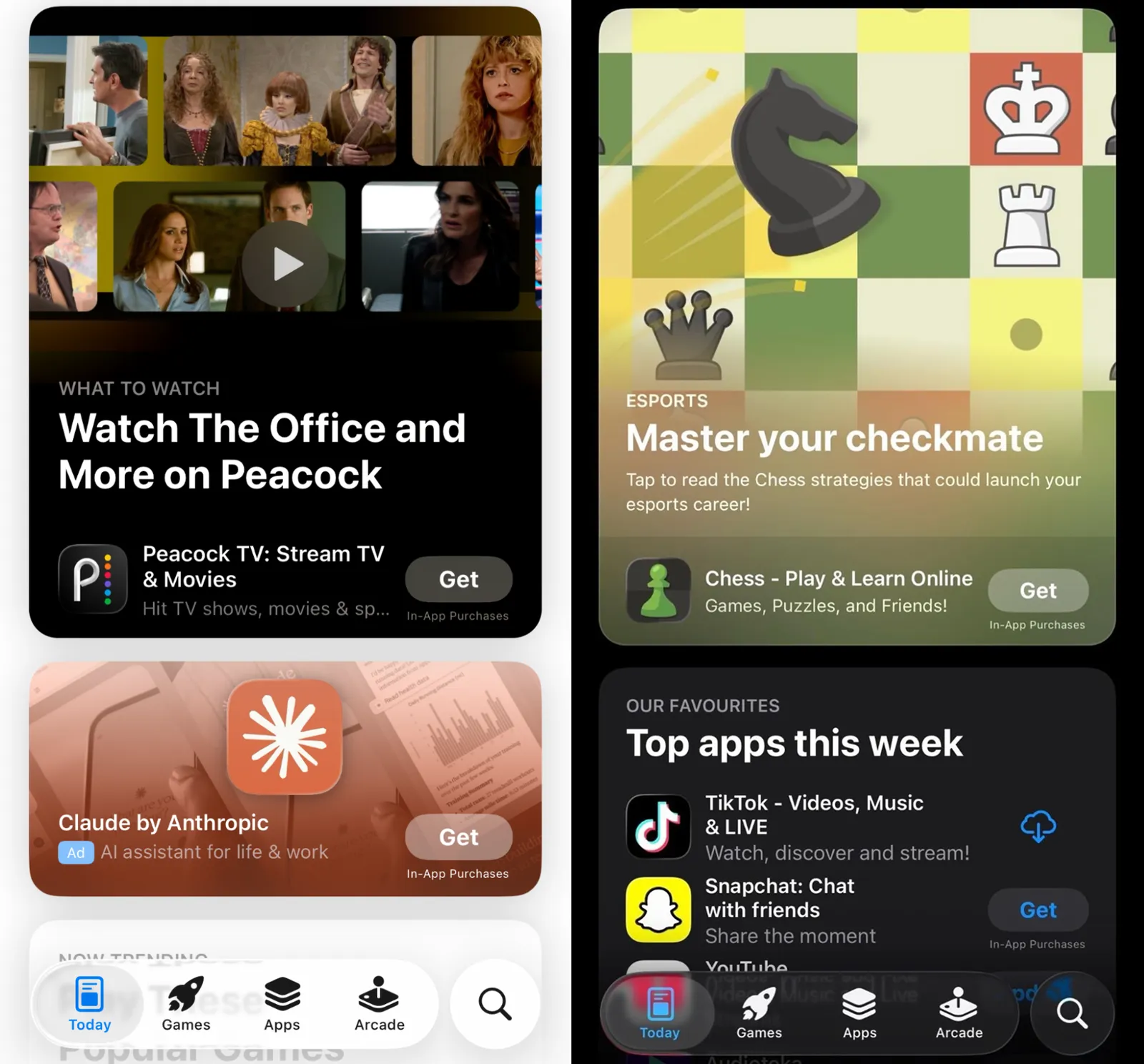
1.5. Editorial favorites by category
Apps and games from specific categories that Apple’s editorial team consistently supports and promotes.
2. Apps and Games Tabs
These sections focus on category-based discovery and ongoing content updates.
Key placements include:
2.1. Featured updates and live events
Highlights major updates, seasonal events, and new features happening now.
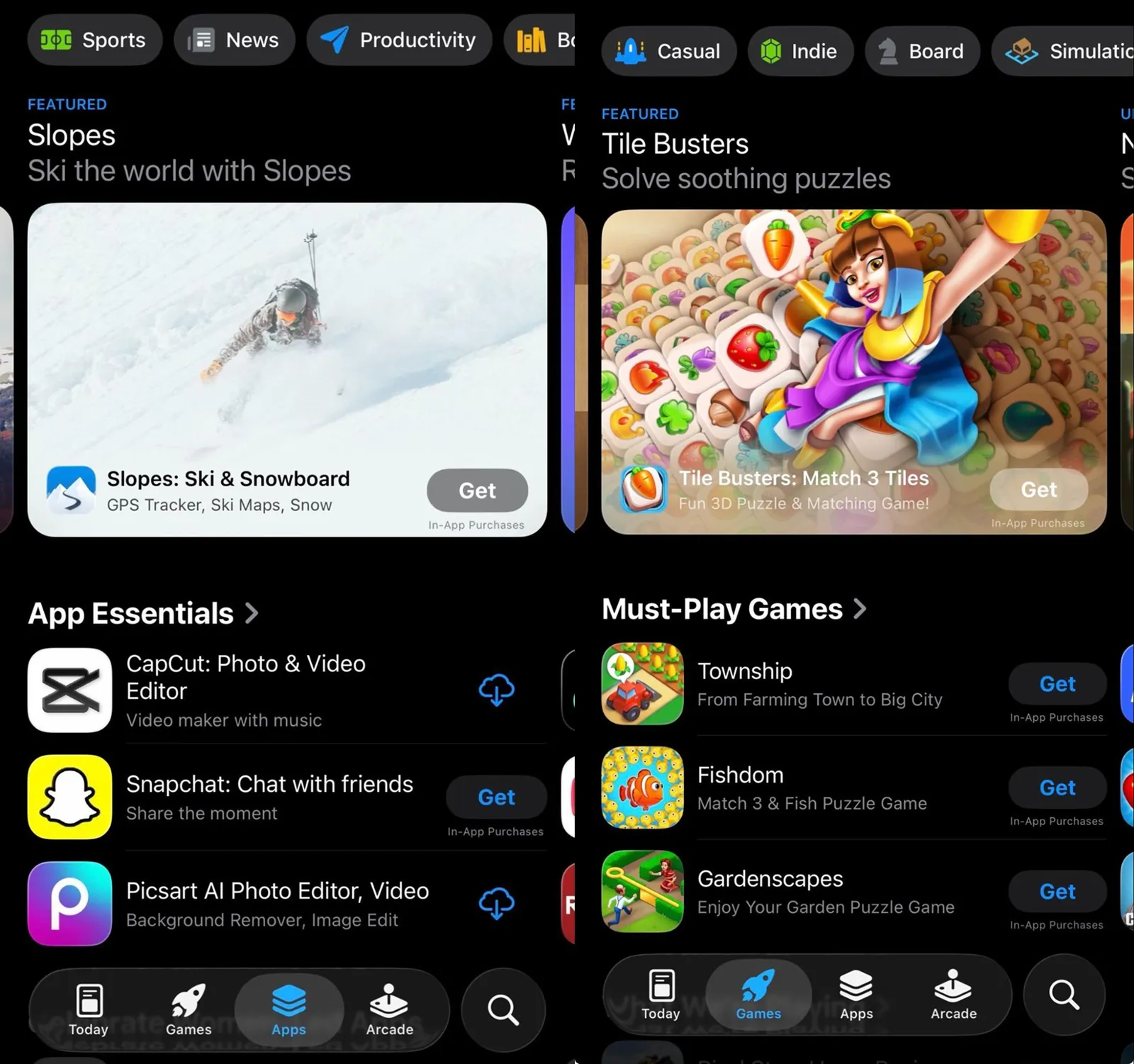
2.2. Must-have and top apps
Lists of essential and high-performing apps recommended to users.

2.3. Category collections
Curated collections of top apps within specific categories such as fitness, finance, education, or entertainment.
3. Arcade Section (Games only)
This section is dedicated to games available through Apple’s subscription gaming service.
Key placements include:
3.1. Arcade Game Collections
Curated lists of games grouped by genre, theme, or play style.
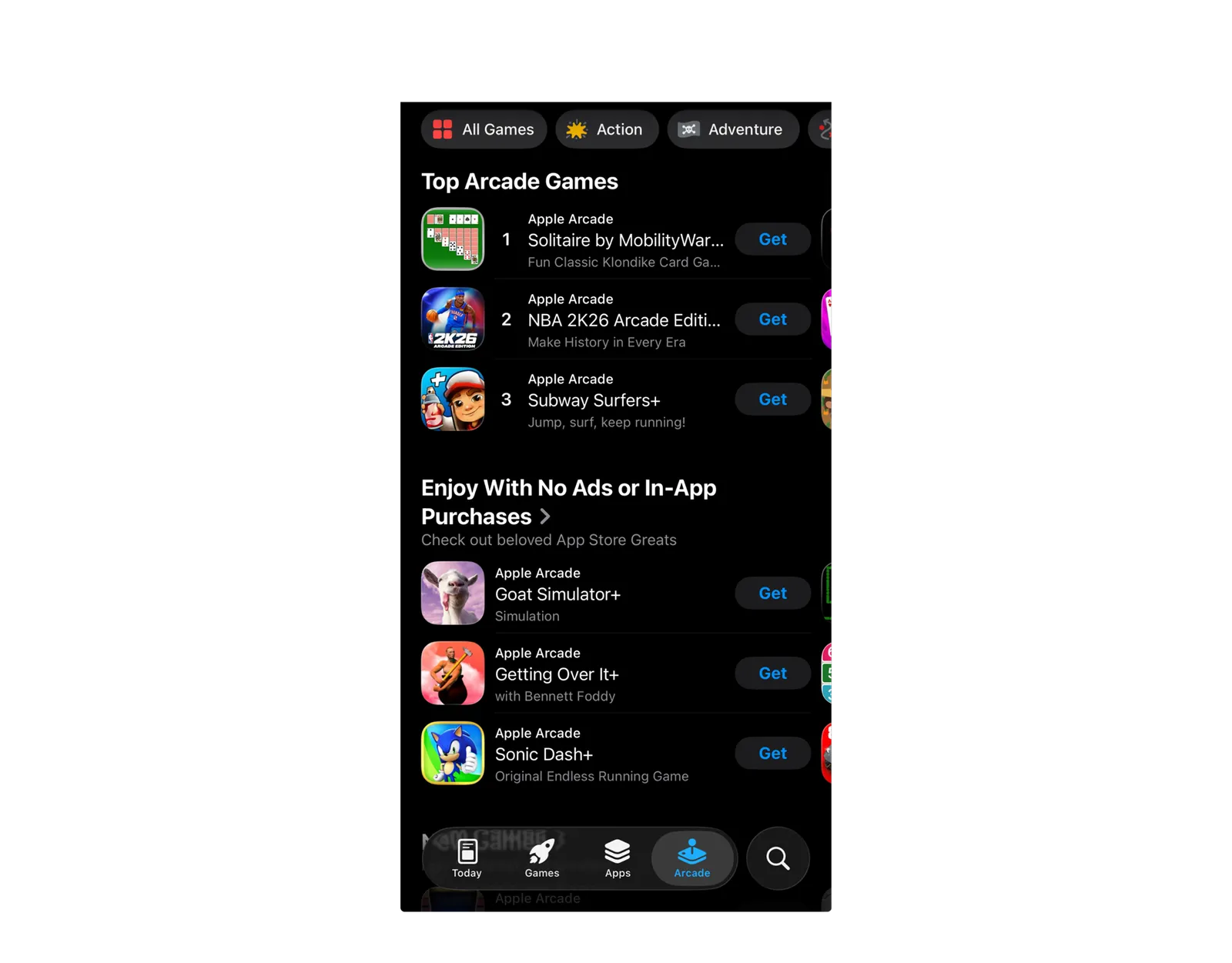
3.2. Editorial Picks
Games selected by the editorial team for quality, creativity, and engagement.
4. Search Results Features
Search is another important discovery surface where featured content appears.
Key placements include:
4.1. Search-Based Collections
Curated app collections displayed based on the user’s search query and intent.
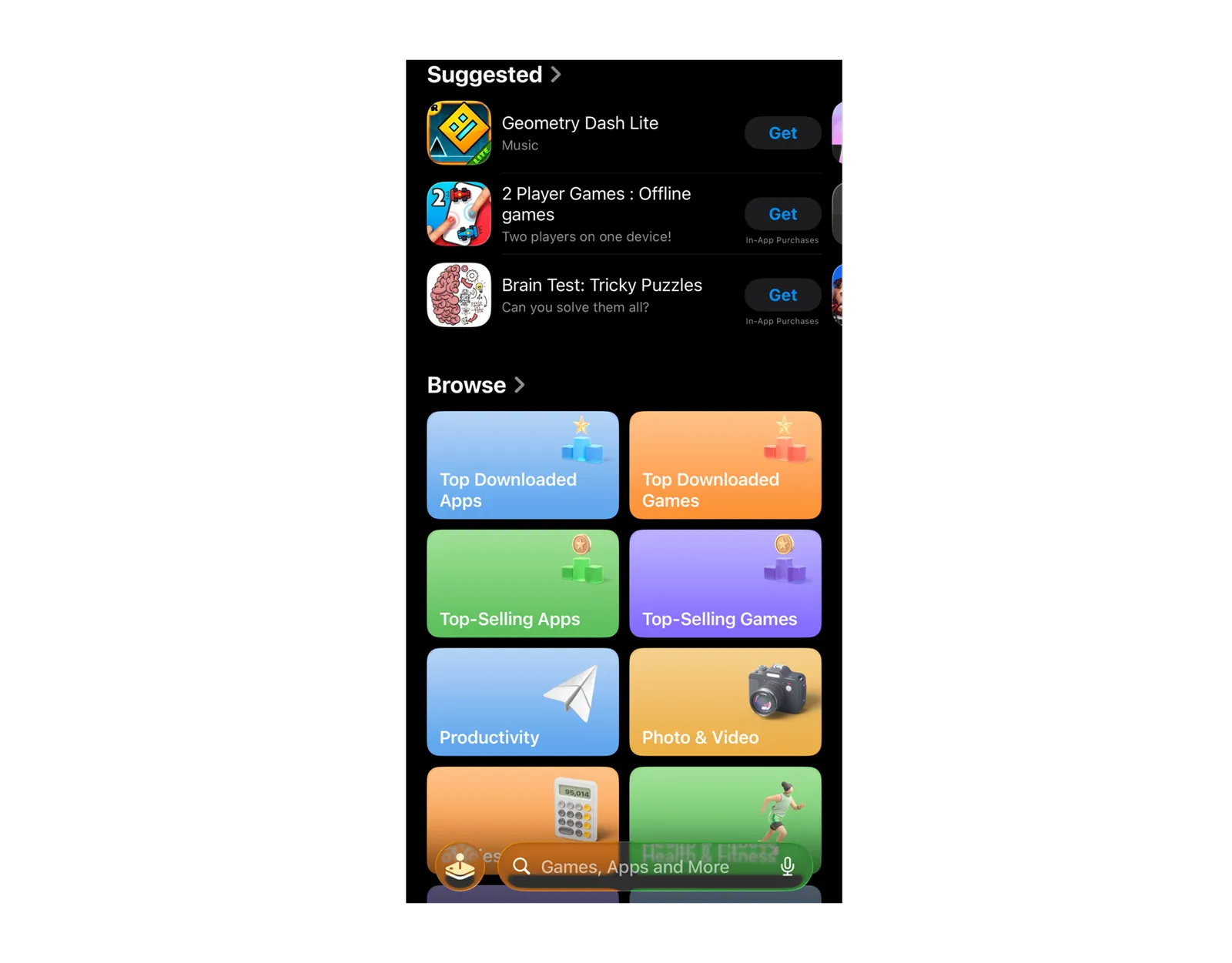
4.2. Editorial Stories
Articles and features about specific apps, developers, or related events that appear in search results.
How Apple Chooses Featured Apps
Apple selects featured apps through an internal editorial review process. Developers cannot purchase featured placements, and selection is based entirely on merit and relevance.
The editorial team evaluates apps using several core criteria:
Great UI design: Usability, visual appeal, intuitive interface.
User experience: Easy to use and efficient that brings value to users.
Innovation and uniqueness: A fresh approach, new genre or innovative technologies introduced in an app.
Accessibility: Features and the overall experience available for a wide range of users.
Localization: Support for multiple languages with culturally adjusted content.
Optimized App Store product page: Compelling icon and screenshots, video previews, relevant descriptions, as well as high rating and positive reviews.
Apple also considers how well an app aligns with platform updates, new technologies, and regional trends.
For games, there are additional featuring considerations:
Gameplay design
Animation and art
Controls
Story and characters
Replayability
Sound and music
Tech performance
Overall value
We recommend reviewing Apple’s official App Store Review Guidelines to ensure your app meets editorial and technical standards.
Benefits of Being Featured on the App Store
Being featured on the App Store is one of the most effective ways to boost your app’s visibility, credibility, and revenue. Here’s why it’s so valuable:
1. Builds trust through editorial validation
First, being featured on the App Store greatly increases the chances that users will notice your app. Second, users are more likely to trust and engage with an app and download it when they see that Apple has highlighted it. This is particularly important for crowded categories, where many apps look similar. Editorial placement signals quality and reduces hesitation in the decision to install.
2. Drives significant uplift in installs
Apps that are featured often experience a substantial surge in downloads during the placement period. Apart from volume, featuring on the App Store can also affect monetization.
3. Re-engages existing and churned users
Getting featured on the App Store is an effective way to bring back users who previously downloaded your app but stopped using it. Placement in the Today tab, curated collections, or other editorial sections can highlight:
Your app’s major updates
Seasonal events
New or improved features
This provides a clear reason for users to return, boosting retention and engagement.
4. Provides insights on organic vs. non-organic performance
Featured placements allow developers to track the impact of the editorial spotlight. You can measure:
Organic vs. non-organic installs
Revenue changes during and after the feature
Post-feature engagement trends
These insights help you evaluate ROI from being featured and update future product, marketing, and app store optimization strategies.
15 Proven Tips to Get Featured on the App Store
Getting featured on the App Store requires more than just launching a high-quality app. Apple looks for apps that combine exceptional design, technical excellence, uniqueness, and strong user engagement. The following proven tips will help you align your app with Apple’s editorial standards and increase your chances of being selected.
1. Build a high-quality, Apple-level app
Apple only features apps that meet the highest quality standards in functionality, stability, and user experience. Your app must work exactly as described and deliver consistent value to users.
Focus on:
Eliminating bugs and crashes
Ensuring all features work as they should
Testing across all supported devices
Matching your App Store description with actual functionality
A stable, reliable app forms the foundation for every other optimization strategy.
2. Design your app according to Apple’s guidelines
Design is one of the most important factors in Apple’s editorial decisions. Featured apps consistently follow Apple’s Human Interface Guidelines and feel native to the platform.
Key design principles include:
Using native UI components and system controls
Maintaining visual consistency across screens
Applying clear typography and spacing
Supporting Dark Mode and Dynamic Type
Creating smooth animations and transitions
3. Use Apple’s latest technologies and innovative platform features
Apple prioritizes apps that actively adopt new platform capabilities and demonstrate strong ecosystem integration. Early adoption of freshly introduced technologies signals innovation, quality, and long-term platform commitment – key factors for editorial consideration to be featured on the App Store.
Some strategies to consider:
Integrate deeply with the ecosystem: Leverage Apple Health, Apple Watch, widgets, Live Activities, Dynamic Island, Siri Shortcuts, Focus Filters, and iCloud sync to extend your experience beyond a single screen.
Leverage hardware capabilities: Optimize for the latest devices: ProMotion, haptics, advanced camera APIs, ARKit, Vision Pro, or Metal – if relevant, of course.
Adopt AI & on-device intelligence: Use Core ML, on-device personalization, smart recommendations, and privacy-first machine learning to deliver intelligent experiences without compromising user data.
4. Build a unique value proposition and “why now” story
Apple prefers apps that solve real problems in original ways and have a clear reason to be boosted at the current moment.
Your app should clearly communicate:
What makes it different from competitors
Which user problem it solves best
Why it matters now
How it fits into current trends
If your app has a strong narrative and is especially relevant right now, your chances to be featured on the App Store are higher.
5. Optimize your App Store product page
Your App Store product page is your public-facing brand. Apple reviews this page closely when evaluating apps for featuring.
Optimize your App Store listing by focusing on:
High-resolution, visually consistent screenshots
Feature-focused captions
A clear value proposition in the first three screenshots (especially the first one)
Well-written app description
If applicable, optimized video previews
6. Implement and support strong app store optimization
ASO helps Apple understand your app’s relevance, quality, and audience fit.
Key ASO elements include:
Keyword-optimized title and subtitle
Custom product pages (CPPs) for different audiences
Apple now allows up to 70 CPPs, double the previous limit of 35. Use these pages to tailor messaging for different audiences, highlight unique app features, or target specific campaigns.
Relevant keyword field usage
Accurate category selection
Regular metadata updates
Consistent & engaging App Store creatives
7. Localize for multiple markets and cultures
Apple favors apps that are ready for global audiences. Proper localization signals scalability.
Effective localization includes:
Translating metadata accurately
Adapting screenshots and other visuals for the cultural specificities of each region
Supporting local currencies and formats
Adjusting features for regional holidays
Localizing custom product pages
Global apps are more likely to be featured on the App Store in multiple countries.
8. Prioritize performance, stability, and accessibility
Technical excellence is non-negotiable for featured apps.
Focus on:
Maintaining near-zero crash rates
Optimizing load times
Reducing memory usage
Supporting VoiceOver and accessibility features
Following WCAG and Apple accessibility standards
Accessible, fast, and stable apps appeal to broader audiences and align with Apple’s inclusion goals.
9. Maintain frequent and meaningful updates
Regular updates show Apple that your app is constantly evolving.
Best practices include:
Releasing feature improvements regularly
Fixing bugs promptly
Updating for new iOS versions
Refreshing App Store screenshots and descriptions
Trying new keywords
Adding seasonal content
10. Align your launch with seasonal and cultural events
If you’re just planning to launch your app on the App Store, Apple often features apps that align with major events, holidays, and global trends.
Examples include:
Black Friday and holiday shopping
New Year productivity themes
FIFA World Cup, Olympics, or Super Bowl
Back-to-school season
11. Drive strong user engagement and performance metrics
Apple monitors how users interact with apps after discovery.
Important performance indicators include:
Daily Active Users (DAU)
Monthly Active Users (MAU)
Retention rate
Session length
Feature adoption
High engagement signals that users find real value in your app.
12. Build social proof through rating and reviews
Positive user feedback strengthens your editorial profile.
To improve reviews and the average rating:
Encourage satisfied users to rate your app
Respond timely, politely, and to the point to all reviews
Resolve reported issues & fix bugs quickly
Show appreciation for feedback
Reply to positive reviews too: say thank you
13. Create viral potential and run in-app events
Apps that generate buzz and community activity attract editorial interest.
Strategies you may use to be featured on the App Store include:
Launching referral programs
Hosting limited-time in-app events
Creating shareable features
Partnering with influencers
Promoting user-generated content
Momentum increases your visibility to Apple’s team.
14. Use App Store Connect editorial submission strategically
Apple provides a dedicated channel for pitching your app to editors. This is your opportunity to present your story directly.
When submitting, include:
A clear description of your app
What makes it special
New or unique features
Target regions
Supporting visuals
Ideal timing
App of the Day / Game of the Day: Editors must pitch 4 weeks before the date
Lead story about one app/game (artwork from the developer): 7 weeks before the date
Lead story with several apps/games (artwork from the Apple design team): 10 weeks before the date
Cross-functional collaboration (featuring multiple Apple Media Services-Apps, TV, Podcasts, Music, Books): 16 weeks before the date
15. Pitch your app with a compelling educational story
Beyond technical details, Apple values storytelling.
Your pitch should explain:
The mission behind your app
The people it helps
The problem it solves
The journey of development
The impact on users
A compelling narrative makes your app easier to feature in stories and collections.
"Even if you weren't featured immediately, for example when a major update was announced, we still recommend returning to the nomination and updating it, letting the Apple Editorial Team know that your feature is now live."

— Mykyta Haidaienko, Head of ASO at Applica
Common Mistakes That Prevent App Store Featuring
Many apps fail to get featured not because they lack potential, but because they make some mistakes that send negative signals to Apple’s editorial and review systems. Here are the most common mistakes to avoid and get featured on the App Store.
Publishing copycat or low-differentiation apps
Apps that closely replicate existing products without clear innovation are rarely featured. Apple prioritizes originality and category leadership.
Weak onboarding and high early drop-off rates
Apps with confusing onboarding flows, long sign-up processes, or unclear value propositions often show poor Day-1 retention, which negatively impacts the chances of being featured on the App Store.
Aggressive or premature monetization
Excessive ads, forced subscriptions, or early paywalls negatively affect user satisfaction and retention metrics.
Ignoring Apple’s technical and design guidelines
Violations of Human Interface Guidelines, privacy policies, or accessibility standards signal low platform alignment.
Submitting too early in the product lifecycle
Apps that lack polish, stable performance, or feature completeness are rarely reconsidered quickly.
Low engagement and retention signals
Apps with weak DAU/MAU ratios, high uninstall rates, or short session durations indicate low life-time value.
Inconsistent branding and messaging
Mismatch between screenshots, descriptions, and in-app experience reduces trust and credibility – not only for users, which is crucially important, but also for the Apple’s editorial team. Avoiding these mistakes helps position your app as reliable, scalable, and ready to be featured on the App Store.
Checklist: Your App Store Feature Readiness
Use this checklist to evaluate whether your app meets Apple’s editorial standards before submission for getting featured on the App Store.
Product & Design
Interface follows Apple Human Interface Guidelines
Native UI components used consistently
Supports Dark Mode, Dynamic Type, and accessibility tools
Visual design matches Apple platform aesthetics
Performance & Stability
Crash rate below 1%
App launch time under 2 seconds on supported devices
No critical bugs in latest version
Memory and battery usage optimized
User Engagement
Healthy DAU/MAU ratio (indicates regular usage)
Strong Day-1 and Day-7 retention
Average session length shows meaningful interaction
Low uninstall rate after first week
App Store Listing
High-resolution screenshots (latest features shown)
Clear value proposition in first two screenshots
Well-structured description with benefits first
Preview video reflects real usage
Metadata optimized for relevant keywords
Localization & Global Readiness
Metadata translated by native speakers
Region-specific screenshots
Local currencies, formats, and regulations supported
Cultural references adapted appropriately
Growth & Reputation
Average rating above 4.3 stars
Regularly answered user reviews
Active feedback management
Editorial Preparation
App story clearly defined
Unique features documented
Target markets selected
Seasonal or platform alignment identified
App Store Connect submission completed
Why Being Featured Is Not a Guarantee of Success
Before summarizing everything, there is one more important point to understand about App Store featuring.
Getting featured is not a finish line. It is a moment of opportunity.
Although being featured on the App Store offers significant visibility and growth opportunities, it does not automatically guarantee strong long-term results. To avoid unrealistic expectations and disappointment, it is important to understand that editorial placement is only a great chance on your path tokj sustainable app growth.
In practice, featured apps can experience very different performance outcomes. Some apps receive high visibility and engagement but show low conversion rates. Users may view the app page, read the description, and browse screenshots, yet decide not to install due to a bunch of factors.
Other apps achieve high conversion rates but struggle with retention. In these cases, users install quickly after seeing the feature but abandon the app after a few sessions because onboarding, user experience, or value is insufficient.
There are also situations where featuring generates strong short-term growth but limited long-term impact. Once the placement ends, downloads and revenue may return to pre-feature levels if the app lacks strong retention and engagement mechanics.
However, even when featuring doesn’t produce dramatic growth, it remains highly valuable.
Editorial placement provides access to large-scale, high-quality user data, including:
User behavior during peak visibility
Conversion patterns across regions
Retention and churn trends
Monetization performance under high traffic
Feature adoption rates
These insights help growth teams identify weaknesses, validate assumptions, and refine their product and marketing strategy.
In this sense, being featured on the App Store is not only a growth opportunity but also a learning opportunity. It allows you to test your app under real, high-volume conditions and apply those lessons to future updates, campaigns, and launches.
FAQ About App Store Featuring
How do I contact Apple editors?
You can reach Apple’s editorial team by submitting a featuring request through App Store Connect using the nominations.
Is the App Store featuring paid?
No. App Store featuring cannot be purchased. All placements are selected by Apple’s editorial team based on quality, relevance, and platform alignment.
How long does it take to get featured on the App Store?
Most apps that get featured wait several weeks to several months after launch or a major update. Some high-quality apps may never be featured, depending on market competition, category saturation, and Apple’s editorial calendar.
Can small or indie apps get featured?
Yes. Apple regularly features apps built by small teams and independent developers. Editorial selection is based on design quality, innovation, and storytelling rather than company size or marketing budget.
How many times can an app be featured?
An app can be featured multiple times, especially after major redesigns, feature launches, or platform integrations.
Does ASO affect featuring?
Yes. Strong App Store Optimization improves discoverability and helps Apple understand your app’s relevance, which supports editorial evaluation.
Can app updates trigger featuring on the App Store?
Yes. Major updates that introduce new technologies, redesigns, accessibility improvements, or seasonal content often trigger renewed editorial interest.
Conclusion
Getting featured on the App Store is the result of sustained excellence in product quality, design, performance, and storytelling. Apple promotes apps that demonstrate long-term value, strong platform alignment, and genuine user satisfaction.
By avoiding common mistakes, meeting measurable quality benchmarks, optimizing your App Store listing, and preparing strong editorial submissions, you position your app for long-term discovery and credibility.
If you were lucky enough to get featured, congratulations! Treat it as momentum, not a finish line. Keep improving your app, refining your App Store product page, and listening to your users. Continuous improvement is what turns short-term visibility into lasting success.
If you haven’t been featured yet, don’t be discouraged. Stay consistent, apply the recommendations in this guide, and keep iterating. With the right strategy and persistence, you increase your chances of achieving the visibility you’re aiming for.