Book a strategy call
Screen-by-screen breakdown

What top subscription apps build around the paywall to convert users in their first session

Yazio, Cal AI, Lose It!, Impulse, Finch, Flo, Dwellspring, Fabulous and ShutEye run the paywall as a sequence, not a single screen. The sequences reuse a small set of mechanics. Each flow below is shown screen by screen with the mechanics it combines.

Yazio paywall flow, screen 1 of 4
Yazio paywall flow, screen 2 of 4
Yazio paywall flow, screen 3 of 4
Yazio paywall flow, screen 4 of 4
Captured
Live paywall flows, every screen, in the order a new user sees them.
Why it matters
According to RevenueCat's State of Subscription Apps 2025, 82% of paid-app trials start on the day the app is installed. The conversion decision happens almost immediately, in most cases within the first session. The flow around the paywall has one session to create purchase intent, and these mechanics are how top apps use it.

The model

Five mechanics that repeat

Most flows combine two or more of these. Each flow below lists the ones it uses.

  • Value preview

    The app demonstrates the core feature before showing a price, so the offer is judged on experience rather than description.

  • Investment

    The user completes a task, builds a plan or earns a result before the offer, so leaving means giving something up.

  • Risk removal

    The flow removes the fear of the charge with “no payment now,” a reminder promise, a named charge date or a longer trial.

  • Variable reward

    The discount is delivered as a prize, through a spin or a random pick, so it reads as won rather than set.

  • Loss aversion

    The offer is framed as one-time, expiring on exit or unavailable later, so declining costs more than accepting.

Screen by screen

The nine flows

Yazio

nutrition
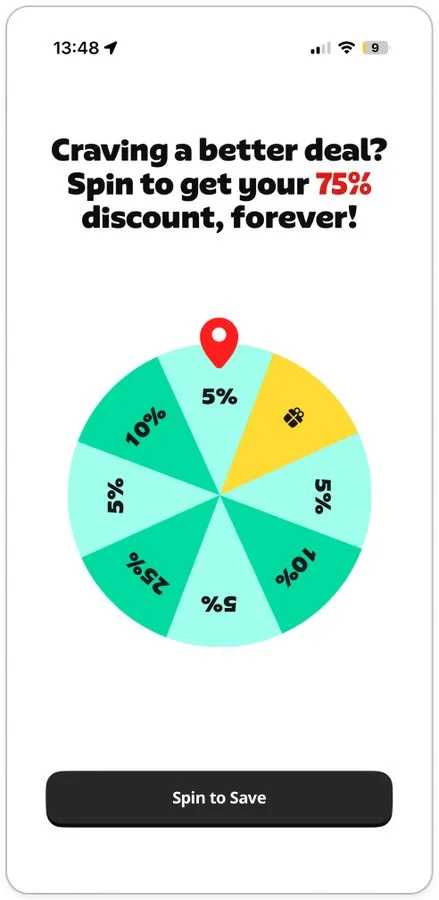
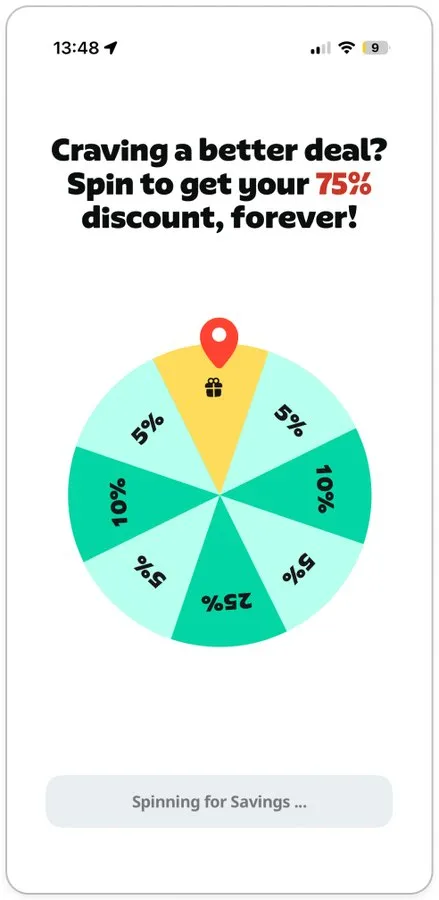
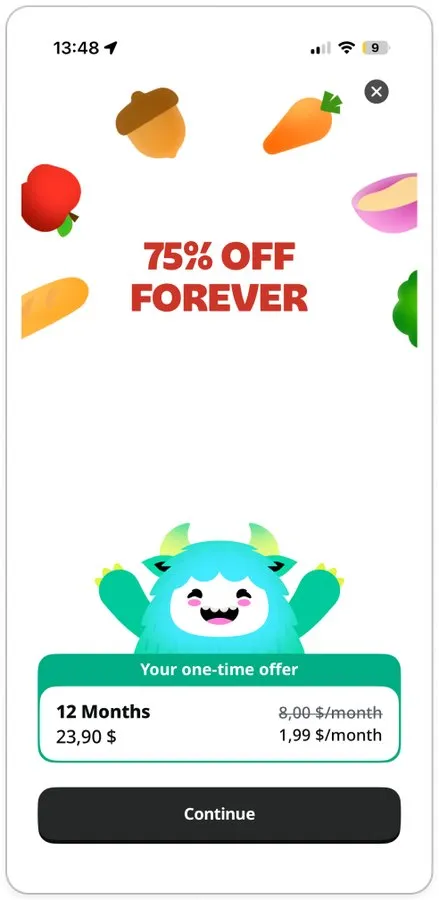
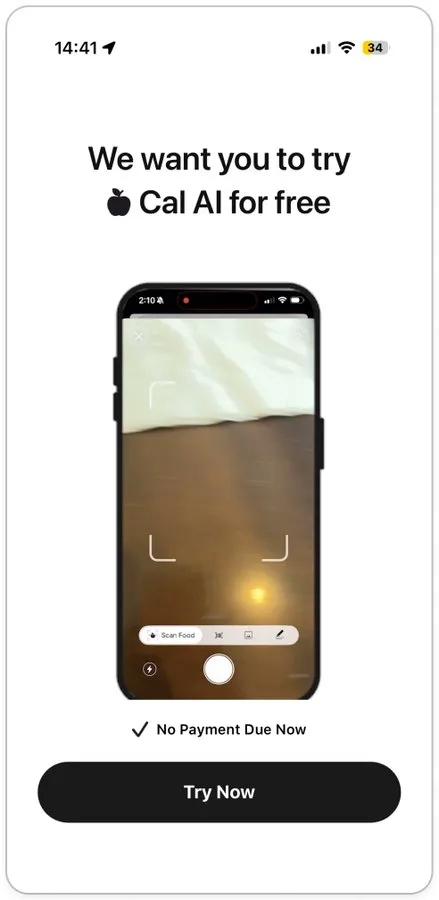
  • Variable reward: The discount is delivered through a spin wheel. It lands on the gift slot and reveals 75% off, so the promo is experienced as a win rather than a listed discount.
  • Loss aversion: The spin result is labelled “your one-time offer.” A discount the user has just won is harder to decline than one that was simply displayed.
Yazio paywall flow, screen 1 of 4Yazio paywall flow, screen 2 of 4Yazio paywall flow, screen 3 of 4Yazio paywall flow, screen 4 of 4

Fill in the form to unlock the rest of this breakdown

Monthly growth investment (USD equivalent)

Cal AI

calorie tracking
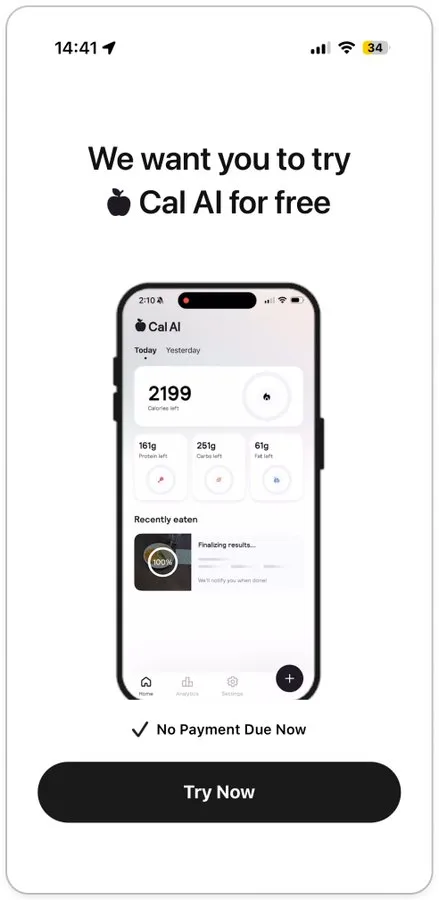
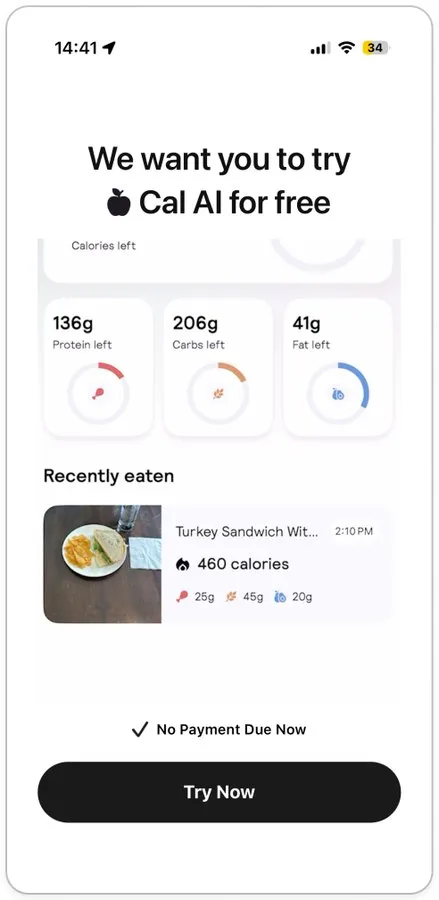
  • Value preview: Three screens demo the core loop before any offer: scanning a meal, reading the calorie dashboard, seeing the log. The user evaluates the product and the trial at the same time.
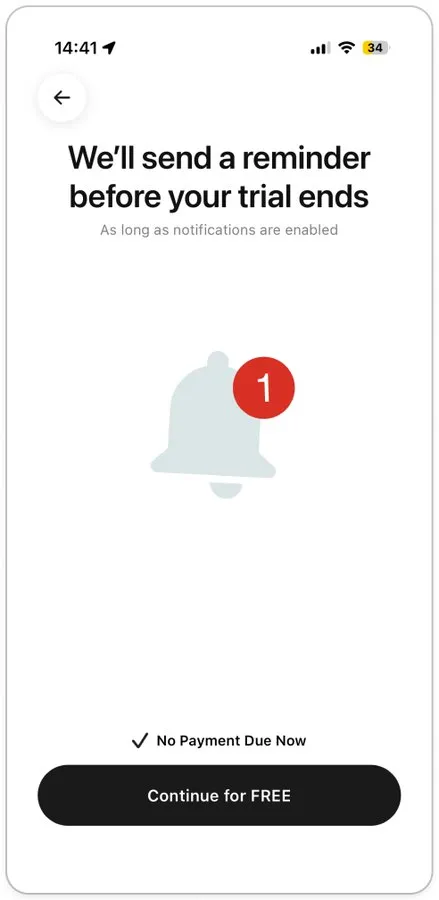
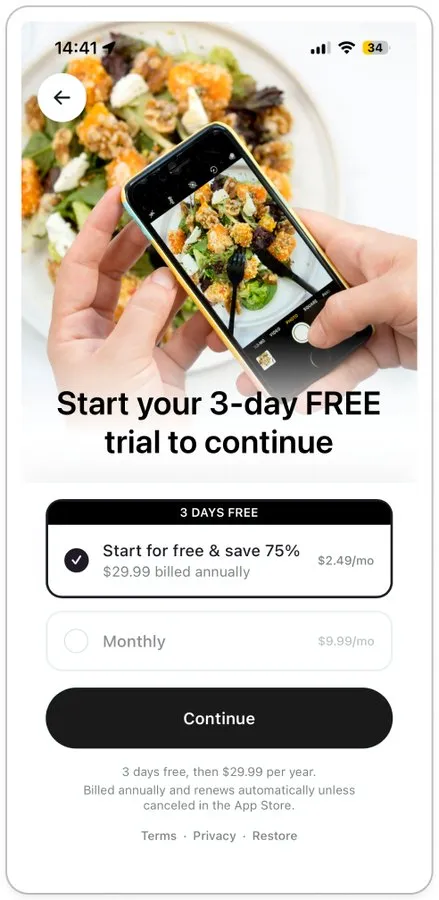
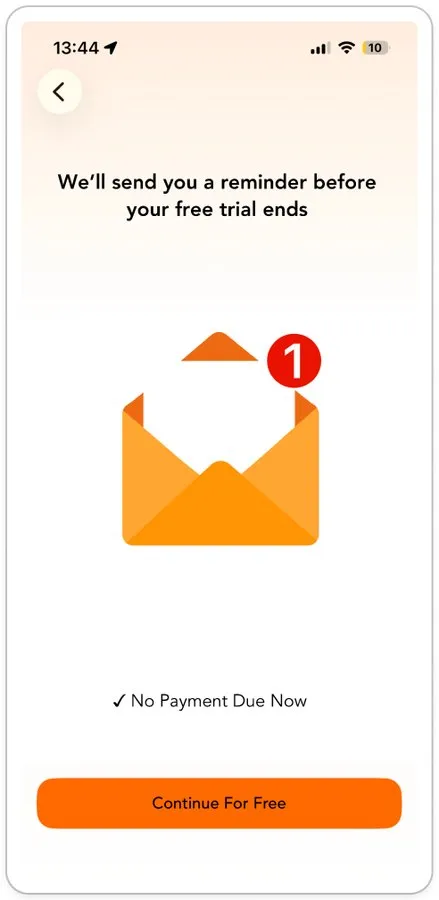
  • Risk removal: “No payment due now” repeats on every preview screen, and a dedicated screen promises a reminder before the trial ends. Both trial fears, being charged and forgetting to cancel, are handled before the price appears.
Cal AI paywall flow, screen 1 of 5Cal AI paywall flow, screen 2 of 5Cal AI paywall flow, screen 3 of 5Cal AI paywall flow, screen 4 of 5Cal AI paywall flow, screen 5 of 5

Lose It!

calorie tracking
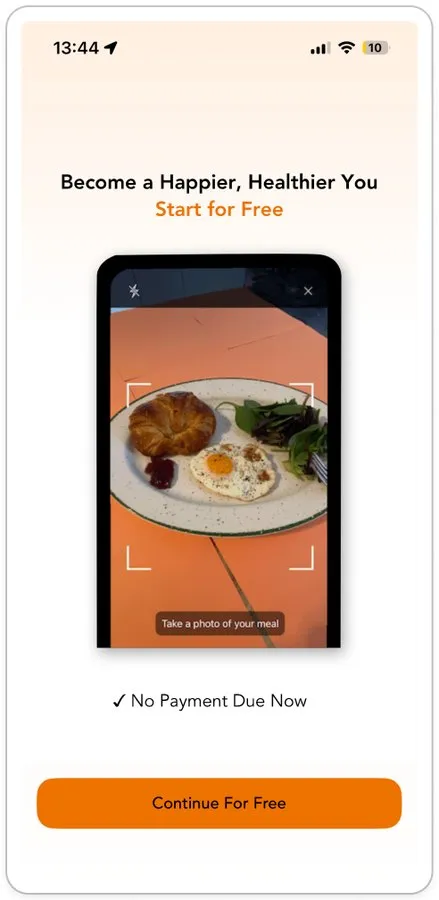
  • Value preview: One screen demos the meal-photo feature under “Start for free,” so the first thing the user sees is the product working.
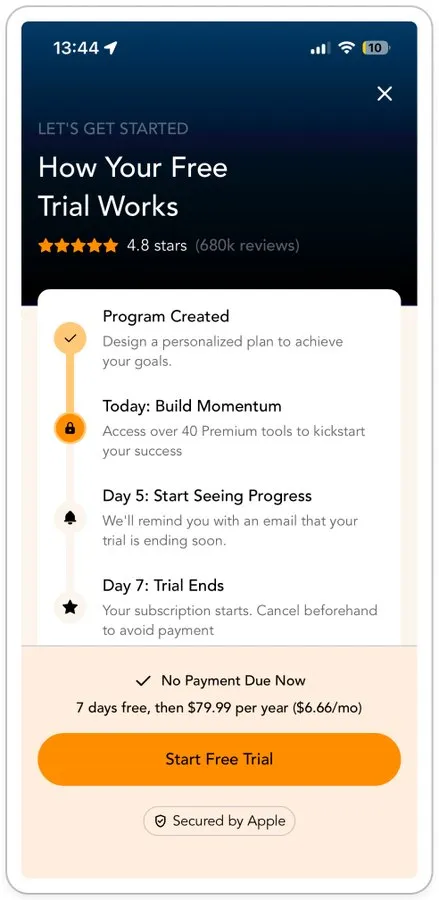
  • Risk removal: The reminder promise gets its own screen, and the paywall is written as a trial explainer titled “How your free trial works,” with today, day 5 and day 7 named. The screen that asks for the subscription reads as reassurance.

Lose It! paywall flow, screen 1 of 3Lose It! paywall flow, screen 2 of 3Lose It! paywall flow, screen 3 of 3

Impulse

brain training
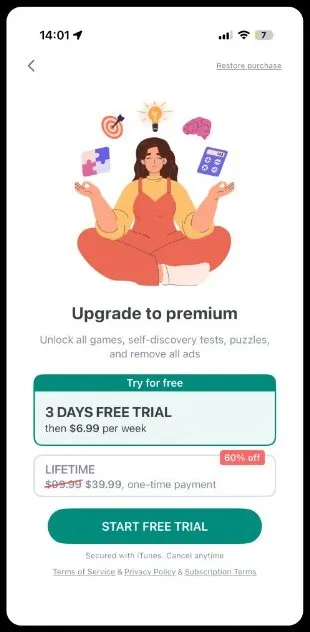
  • Value preview: After the first paywall is closed, the user is sent into a real game rather than a second offer. The product is experienced, not described.
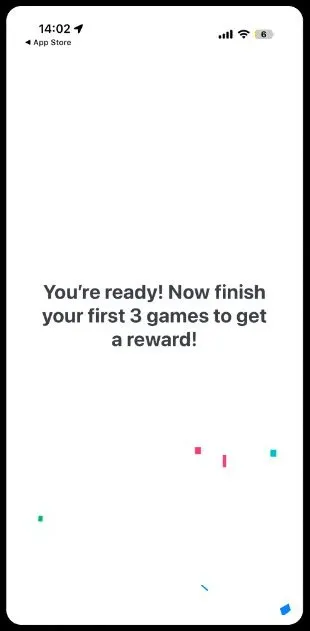
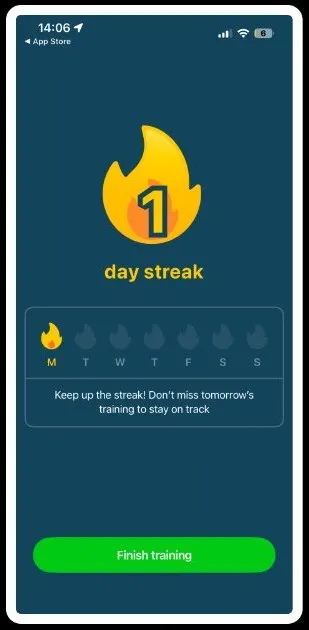
  • Investment: Three games, a high score, a line saying you outperformed 99% of your peers and a one-day streak give the user a result and a status to keep before any discount appears.
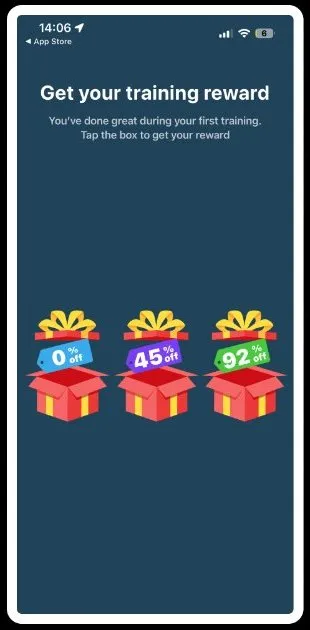
  • Variable reward: The discount comes as three gift boxes at 0%, 45% and 92%. The user picks one, so the amount reads as chance and effort rather than a set price.
  • Loss aversion: The final offer is marked “available on this screen only,” tying the earned discount to the moment and making exit the costly action.
Impulse paywall flow, screen 1 of 8Impulse paywall flow, screen 2 of 8Impulse paywall flow, screen 3 of 8Impulse paywall flow, screen 4 of 8Impulse paywall flow, screen 5 of 8Impulse paywall flow, screen 6 of 8Impulse paywall flow, screen 7 of 8Impulse paywall flow, screen 8 of 8

Finch

self-care
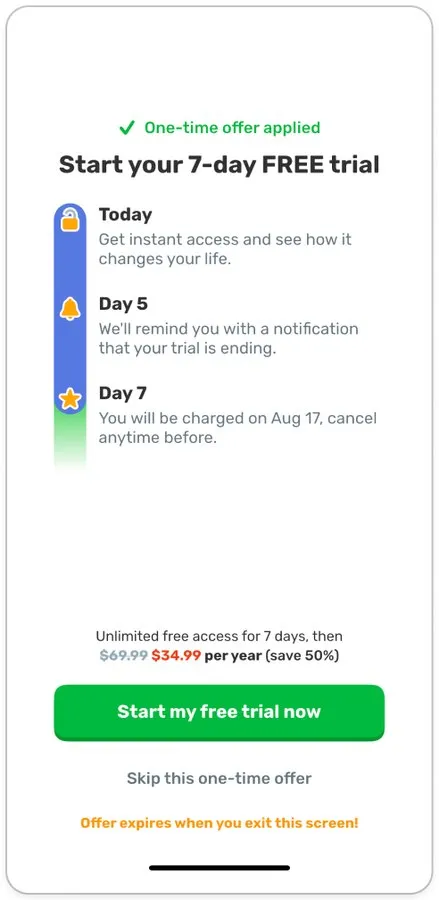
  • Risk removal: Two screens clear the trial fears before any amount is shown: free to use, free to cancel, and a reminder two days before the charge. The paywall repeats it as a today, day 5, day 7 timeline with the exact charge date.
  • Loss aversion: The 50% discount is introduced as a one-time offer, and the paywall adds “offer expires when you exit this screen.” Pressure is attached to leaving, not to the price.
Finch paywall flow, screen 1 of 4Finch paywall flow, screen 2 of 4Finch paywall flow, screen 3 of 4Finch paywall flow, screen 4 of 4

Flo

period tracker
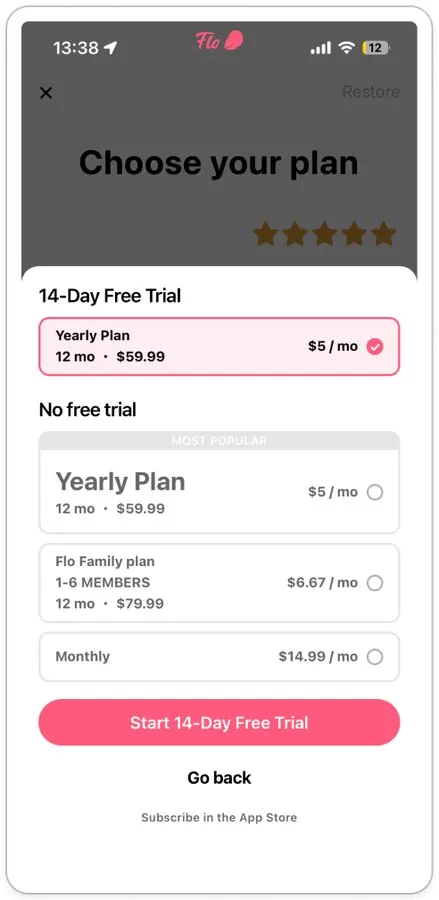
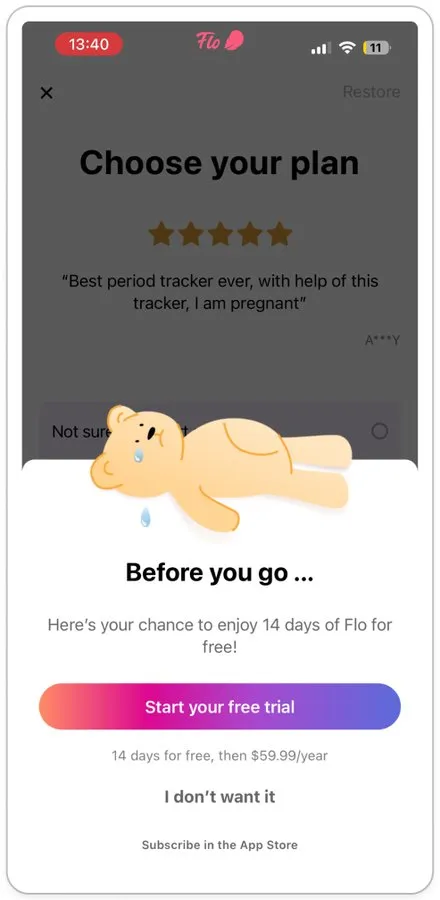
  • Loss aversion: The paywall is a plain plan picker. The mechanic fires on exit: “Before you go” re-offers the same 14-day trial to users who have just declined, and a crying mascot with an “I don’t want it” button makes the second refusal explicit.
Flo paywall flow, screen 1 of 2Flo paywall flow, screen 2 of 2

Dwellspring

sleep
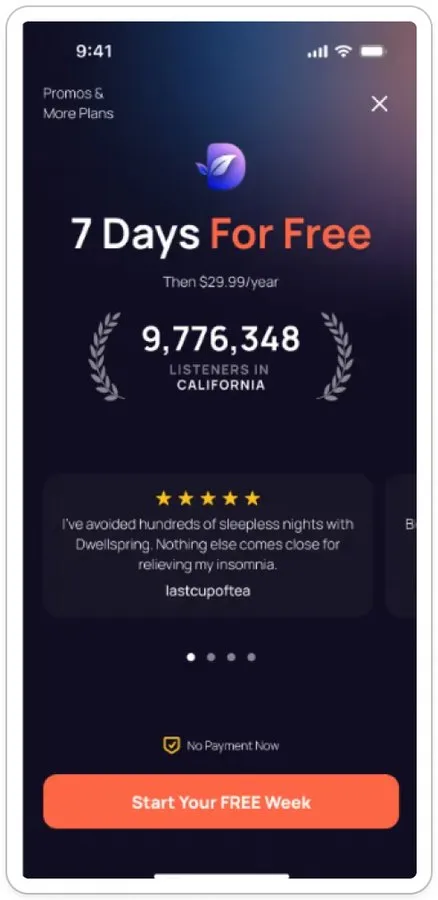
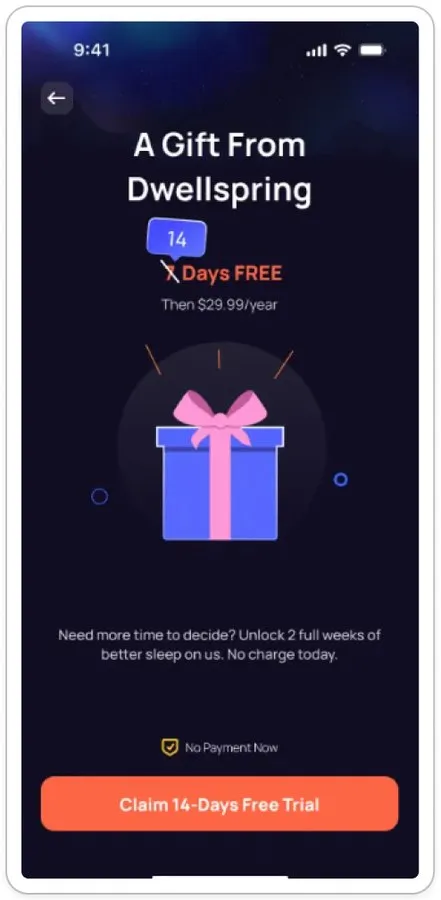
  • Risk removal: The exit offer answers hesitation with time instead of discount, doubling the trial from 7 to 14 days with “no charge today.” The yearly price stays intact, and the user blocked on commitment rather than cost gets a longer runway.
  • Loss aversion: The extension is framed as “a gift from Dwellspring,” shown only when the user tries to leave.
Dwellspring paywall flow, screen 1 of 2Dwellspring paywall flow, screen 2 of 2

Fabulous

habits
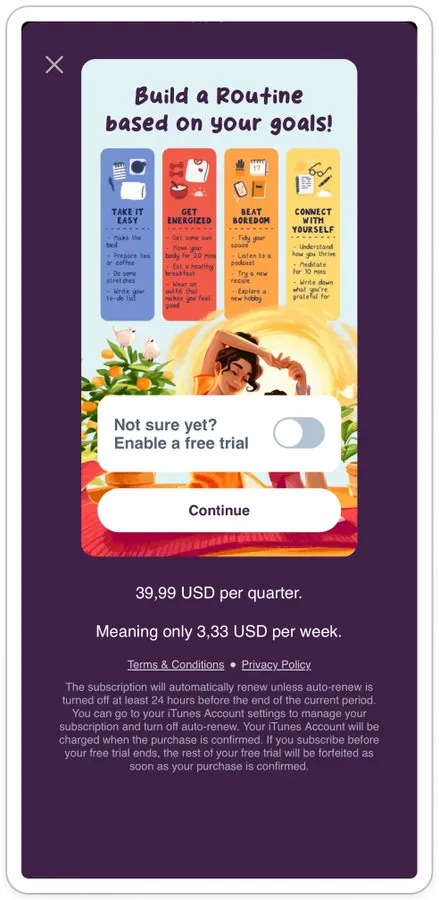
  • Loss aversion: Two exits stack. Closing the paywall opens a plan at 57% off ($16.99 a quarter instead of $39.99). Closing that opens “Are you sure? If you exit now, you will not have access to this offer for the next 12 months.” The second exit does not cut the price again: $1.41 a week is the same $16.99 restated smaller, with a 12-month lockout added to make leaving cost something.
Fabulous paywall flow, screen 1 of 3Fabulous paywall flow, screen 2 of 3Fabulous paywall flow, screen 3 of 3

ShutEye

sleep
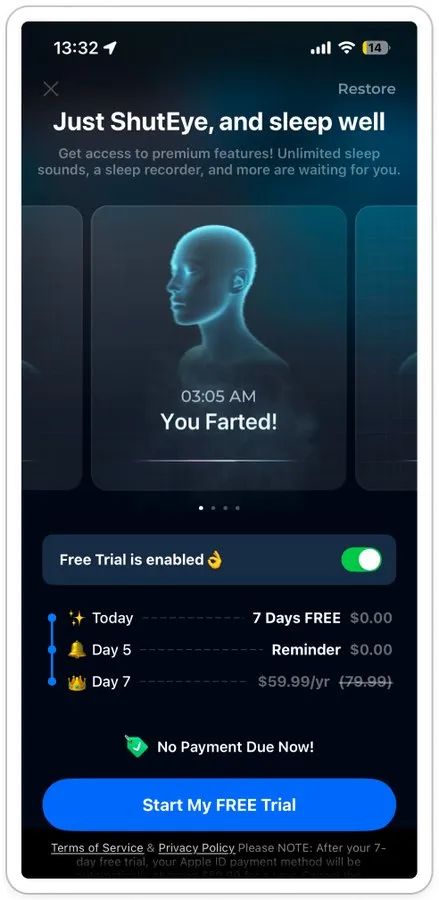
  • Value preview: The paywall leads with a feature carousel, headlined by a shareable sleep-recorder clip, so the product is sold on the same screen as the trial.
  • Risk removal: A today, day 5, day 7 trial timeline and “no payment due now!” sit directly under the carousel.
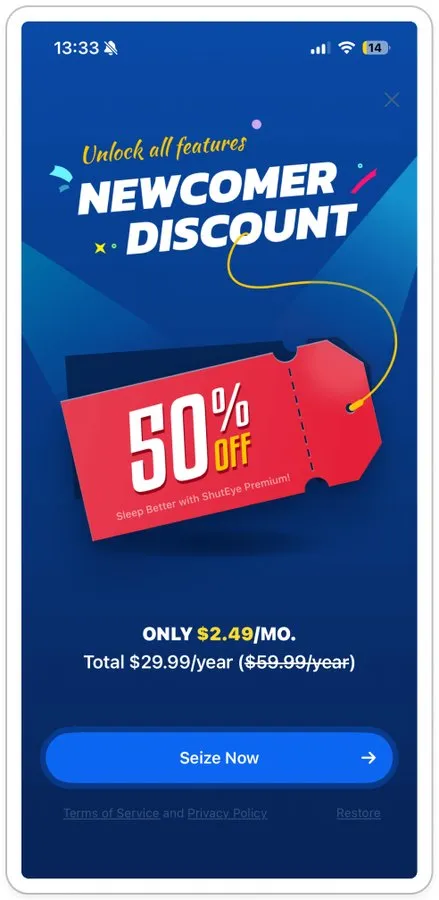
  • Loss aversion: The discount is held back for exit. A “newcomer discount, 50% off” screen with a “Seize now” button appears only after the paywall is closed.
ShutEye paywall flow, screen 1 of 2ShutEye paywall flow, screen 2 of 2

For growth and CRO teams

What to take into your own flow

  1. Demo before price. Put one real interaction with the core feature ahead of the first offer.

  2. Earn before offer. Give the user a task, a score or a plan to complete before the paywall, so there is something to lose.

  3. Name the charge date. Show today, reminder day and charge day, with “no payment now,” before asking for the trial.

  4. Deliver discounts as rewards. Reveal the promo through a spin or a box instead of printing it.

  5. Reserve pressure for the exit. Apply one-time and expiring framing to users who close the paywall, not to the first screen.

Is your ad making a promise your paywall can’t keep?

We follow your users from the ad through the store page and onboarding to the paywall, find where the promise breaks, and close the gap on both sides: in the creative and in the flow.

Get a free ad-to-paywall teardown

Client feedback

The quality of their work is the best I’ve seen. Thanks to Applica, I've seen a 30% increase in product page views and downloads, as well as great improvements in revenue.

Morgan Trudeau, CEO at Magnify Technologies

Morgan Trudeau

CEO at Magnify Technologies

Client feedback

Applica has a quality team that truly wants to be an extension of our business.

Andy McBride, Owner at Meal Plan App

Andy McBride

Owner at Meal Plan App

Client feedback

Applica Agency is more knowledgeable in this area than most other providers we've used in the past.

Michael Brandon, CEO of Slumber Group

Michael Brandon

CEO of Slumber Group

Let’s work together

Scale your business with Applica

Monthly growth investment (USD equivalent)
How can we help?

We’ll recommend the right scope after an intro call